TeamITServe

Uncategorized

Most Companies Have AI Tools. Very Few Have an AI System

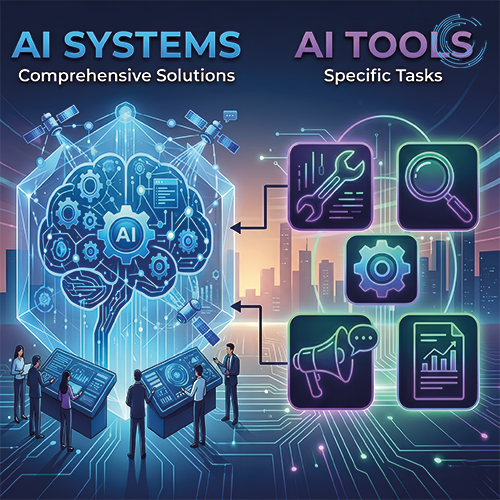
There is a difference — and it is widening fast. | AI system vs AI tools Walk into almost any enterprise today and you will find AI everywhere. A writing assistant here. A chatbot there. A forecasting model plugged into the BI dashboard. An AI-powered inbox, a summarization tool, a code helper. The list grows every quarter. And yet, despite all of it, the team is still chasing threads across five apps. The context still gets lost between handoffs. The left hand still does not know what the right hand is doing. More tools did not solve the coordination problem. In most cases, they deepened it. The Difference Between a Tool and a System A tool answers a question. A system closes a loop. When a sales rep uses an AI tool to draft a follow-up email, that is useful. But when an AI system detects that a deal has gone cold, pulls the account history from the CRM, drafts a contextual re-engagement message, routes it for approval, sends it, and logs the outcome — that is a different category of capability. The difference is not intelligence. It is architecture. Systems share context. They hand off between agents without losing state. They connect to your actual data — not a generic model trained on the public internet. They know what happened last week because they were there for it. Tools do not remember. Systems do. Why Fragmentation Is the Real Problem in 2026 The enterprises that are pulling ahead this year did not win by adopting more AI. They won by being intentional about how their AI works together. A company running fifteen disconnected AI tools still has fifteen disconnected workflows. The overhead of managing them — different vendors, different data access, different outputs to reconcile — often costs more than the tools save. One mid-market financial services firm consolidated four separate AI tools into a single agent system with shared data access and a unified workflow layer. Response time on client queries dropped by 60 percent. Not because the AI got smarter. Because it finally had the context it needed to act. What Intentional AI Architecture Looks Like The organizations getting this right are building with three things in mind. Clear ownership. Every agent in the system has a defined scope — what it can access, what it can act on, and when it hands off. Ambiguity at the architecture level becomes chaos at the execution level. Connected data. The system is only as useful as the information it can reach. Siloed data produces siloed outputs, regardless of how capable the underlying model is. Governance that scales. As the system grows, so does its footprint in your business. Audit trails, access controls, and human review checkpoints are not optional features — they are the foundation. The Question Worth Asking Most AI conversations inside organizations start with “What tools are we using?” The better question is: “Does our AI work together?” If the answer is no — or even “sort of” — the gap between your organization and the ones building unified systems is growing every month. Adding another tool will not close it. TeamITServe helps enterprises move from scattered AI tools to unified systems — from discovery to production. If your AI is not working together yet, that is where we start.

Most Companies Have AI Tools. Very Few Have an AI System Read More »

LLM

Hidden Infrastructure Costs of Running LLMs inProduction

Large Language Models are moving quickly from experiments into core business systems. Teams now use them for support automation, knowledge search, summarization, and developer workflows. | LLM The surprise isn’t that LLMs cost money — it’s where the money actually goes. Once usage grows, model access becomes only one part of the bill. The surrounding infrastructure starts to dominate. Compute Costs Computing is the most visible expense, but it’s often misunderstood. Early pilots run on small workloads and look cheap. Then traffic increases, latency targets tighten, and GPU usage scales faster than expected. Duolingo is a good example. When it introduced conversational AI features, adoption pushed the company to optimize prompts, introduce caching, and carefully route requests across models. The goal wasn’t just performance — it was cost control. Most teams don’t realize this until bills start climbing. Data Pipelines and Vector Storage Production LLM systems rely on embeddings, vector databases, and retrieval pipelines. Every document ingested and every query processed adds indexing, storage, and compute overhead. Logging alone can double storage usage in some deployments. Over time, maintaining fast semantic search across growing datasets often requires premium storage tiers and distributed infrastructure. Teams building internal knowledge assistants frequently discover that vector storage and retrieval costs start rivaling inference costs. It doesn’t happen on day one — it shows up months later. Monitoring LLM Behavior Unlike traditional software, LLM systems need continuous evaluation. Quality isn’t binary. Outputs can drift, hallucinate, or degrade in subtle ways. That means logging pipelines, evaluation datasets, observability dashboards, automated tests, and fallback flows. Enterprises running AI support agents often maintain parallel monitoring systems specifically to detect bad responses before customers do. These guardrails are essential. They’re also expensive and operationally heavy. Scaling for Peaks AI workloads are unpredictable. A product launch, a new internal rollout, or a viral feature can multiply traffic overnight. To avoid slow responses, teams provision capacity ahead of demand. Inevitably, some of that infrastructure sits idle. You pay for readiness, not just usage. This is where finance teams start asking hard questions. The Real Shift Companies succeeding with LLMs treat infrastructure as product design, not backend plumbing. They introduce response caching. They route simple queries to smaller models. They combine retrieval with fine-tuned systems. They scale based on usage patterns instead of peak assumptions. Running LLMs in production isn’t just an AI challenge — it’s an infrastructure strategy. Businesses that understand the full operational footprint early are the ones able to scale AI sustainably, without surprises later.

Hidden Infrastructure Costs of Running LLMs inProduction Read More »

Your Simple Guide to Custom AI/ML Models in 2025

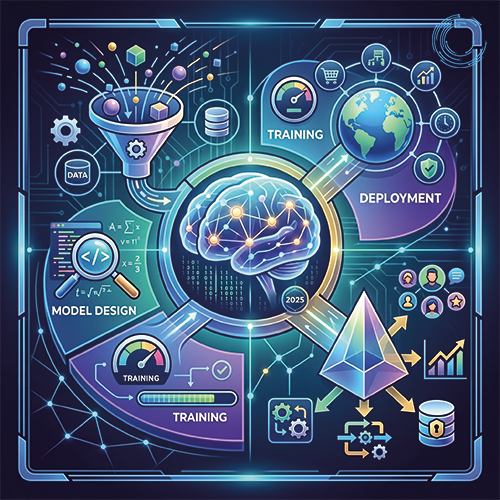
Artificial Intelligence (AI) and Machine Learning (ML) are no longer just for tech giants—they are helping businesses like yours solve real problems. While ready-made AI tools are handy, custom AI/ML models are like a tailored suit: built just for you, using your data, to tackle your specific challenges. Here is a beginner-friendly guide to why custom AI matters, how it works, and what’s trending in 2025, with real-life examples to bring it to life. | custom AI ML models Why Build a Custom AI/ML Model? Off-the-shelf AI tools are like renting a car—they get you from A to B, but they are not yours. Custom models are designed for your business, giving you better results and a competitive edge. Why it is worth it: Example: A small coffee shop chain used a custom AI model to predict which drinks customers would buy based on weather and time of day. Sales jumped 15% because they stocked the right ingredients and ran targeted promotions. How to Build a Custom AI/ML Model Creating a custom model sounds complex, but it is just a few clear steps. Here is the process: 1. Know What You Want Start with a specific goal. Want to keep customers coming back? Predict inventory needs? Make your app feel more personal? Clear goals make everything easier. Example: A local gym wanted to reduce member cancellations. Their AI model analyzed workout patterns to spot who might quit and offered them personalized class suggestions. 2. Get Your Data Ready AI needs data to work—like customer purchases, website clicks, or even photos. The key is cleaning it up (removing errors) and organizing it so the AI can learn from it. Example: A bakery used sales records and customer feedback to train an AI model, helping them figure out which pastries to bake more of each day. 3. Pick the Right Model There are different types of AI models, like ones for predictions or image analysis. Experts choose the best one for your goal and test it to make sure it works. 4. Train and Test Your model learns from your data, like studying for a test. Then it is tested to ensure it can handle new situations without messing up. 5. Put It to Work Once ready, the model goes live—maybe in your app, website, or store systems. It needs to fit smoothly into how you already work. Example: An online retailer integrated a custom AI model into their website to recommend products based on what customers browsed. This boosted their average order value by 10%. 6. Keep It Updated Your business changes, and so should your AI. Regular updates keep it sharp as customer habits or markets shift. What’s New in AI/ML for 2025 Here are some exciting trends making waves: Why Custom AI/ML Is Your Next Step In 2025, custom AI/ML models are like hiring a superstar employee who knows your business inside out. They help you solve problems, save time, and grow smarter. Whether you are a small shop or a growing company, custom AI can make a big difference. At TeamITServe, we love helping businesses turn their data into solutions that work. Ready to take your business to the next level with custom AI? Let us make it happen!

Your Simple Guide to Custom AI/ML Models in 2025 Read More »

DevOps: The Essential Strategy for Modern IT Infrastructure

DevOps: The Essential Strategy for Modern IT Infrastructure | DevOps Strategy In today’s digital landscape, where user expectations are higher than ever, businesses must ensure their IT infrastructure is not only robust but also agile and responsive. DevOps has emerged as a pivotal strategy to meet these demands, fostering a culture of collaboration, automation, and continuous improvement. Breaking Down Silos: Fostering Collaboration Traditional IT models often suffer from compartmentalization, with development and operations teams working in isolation. DevOps bridges this gap, promoting a unified approach to software development and deployment. Case Study: Capital One Capital One faced challenges with prolonged release cycles and manual errors. By adopting DevOps principles, they: This transformation led to faster release cycles and improved security, significantly reducing vulnerabilities in their software. Speed and Agility: Responding to Market Demands In a fast-paced market, the ability to deploy updates swiftly is crucial. DevOps emphasizes automation and continuous integration/continuous delivery (CI/CD) to achieve this. Case Study: Etsy Etsy transitioned from a monolithic architecture to a cloud-native, microservices-based system. By adopting CI/CD pipelines and automating their deployment processes, they: This shift allowed Etsy to respond rapidly to customer needs and market changes. Building Resilience: Ensuring Stability While speed is vital, maintaining system stability is equally important. DevOps practices like Infrastructure as Code (IaC) and continuous monitoring play a significant role in achieving this balance. Case Study: Netflix Netflix operates on a massive scale, requiring a resilient infrastructure. They developed “Titus,” their container management platform, to handle deployments efficiently. Additionally, they implemented “Chaos Monkey,” a tool that randomly disables production instances to test system resilience. These practices have enabled Netflix to: Core Pillars of Successful DevOps Implementation For organizations aiming to adopt DevOps, focusing on the following pillars is essential: Continuous Evolution: The DevOps Journey Adopting DevOps is not a one-time effort but a continuous journey of refinement and adaptation. Organizations must cultivate a culture that embraces change, encourages learning, and prioritizes continuous improvement. Conclusion: Embracing DevOps for Digital Success In an era where digital excellence is a key differentiator, DevOps stands out as a strategic approach to building and managing modern IT infrastructure. By fostering collaboration, embracing automation, and focusing on both agility and stability, organizations can deliver superior value to their customers swiftly and reliably.

DevOps: The Essential Strategy for Modern IT Infrastructure Read More »

The Cutting-Edge Technologies Transforming the Olympics

The Olympic Games have always been a showcase of human athletic prowess and international unity. However, in recent years, they have also become a stage for technological innovation. From enhancing athlete performance to improving spectator experience, here is a look at some of the most remarkable technologies used in the Olympics. 1. Wearable Technology and Smart Clothing Athletes use wearable devices and smart clothing to monitor their performance in real-time. These gadgets track vital statistics like heart rate, body temperature, and movement patterns. Wearable technology helps athletes optimize their training regimes, prevent injuries, and improve recovery times. Examples include smartwatches, fitness bands, and sensor-embedded clothing. 2. High-Speed Cameras and Video Analytics            High-speed cameras and advanced video analytics have revolutionized the way sports are judged and analyzed. These cameras capture every detail of an athlete’s performance, allowing for precise analysis. The data gathered helps in improving techniques and strategies. For instance, in sports like swimming and gymnastics, video analytics are used to analyse movements and improve scoring accuracy. 3. Virtual and Augmented Reality Virtual Reality (VR) and Augmented Reality (AR) have enhanced the training and viewing experiences in the Olympics. Athletes use VR simulations to practice in a risk-free environment, gaining mental and physical preparation for events. For spectators, AR applications provide enriched viewing experiences, such as overlaying statistics and athlete information during live broadcasts. 4. Drones Drones have become an integral part of the Olympics, used for a variety of purposes including security, broadcasting, and logistics. They provide unique aerial views of the events, enhance security by monitoring large crowds, and assist in delivering equipment and supplies efficiently. 5. Biometric Data and AI Artificial Intelligence (AI) and biometric data are used to analyse athletes’ performance and health. AI algorithms process data from wearables and other sensors to provide insights into an athlete’s physical condition, predicting potential injuries and suggesting optimal training schedules. This technology helps in personalizing training programs to enhance performance. 6. Smart Venues Olympic venues are becoming smarter with the integration of Internet of Things (IoT) devices. These smart venues provide real-time information on various aspects like crowd management, environmental conditions, and security. They enhance the experience for both athletes and spectators by ensuring smooth operations and a safe environment. 7. Advanced Sports Equipment Technological advancements have led to the development of high-performance sports equipment. From aerodynamic suits and shoes to customized gear made using 3D printing, technology is helping athletes achieve new heights. For example, in cycling and skiing, equipment design plays a crucial role in enhancing speed and performance. 8. Hydration and Nutrition Technology Proper hydration and nutrition are critical for athlete performance. Technologies like smart water bottles and nutrition tracking apps help athletes maintain optimal hydration and nutrition levels. These tools monitor intake and provide recommendations based on the individual needs of the athlete. 9. Robotics Robots are being used in various roles during the Olympics, from assisting in construction and maintenance of venues to providing information and services to visitors. In some cases, robots are also used in sports, such as table tennis training robots that help athletes practice their skills.

The Cutting-Edge Technologies Transforming the Olympics Read More »

Azure vs AWS vs Google Cloud: A Comprehensive Comparison

Cloud computing has revolutionized the way businesses operate, and the three major players in the cloud computing market are Microsoft Azure, Amazon Web Services (AWS), and Google Cloud. Each of these platforms offers a range of services and features that cater to different business needs. In this blog post, we will compare these three cloud platforms based on their latest offerings. | Azure vs AWS vs Google Cloud AWS is the oldest and most established cloud platform, with a wide range of services and features. It has a strong focus on security and compliance, making it an ideal choice for businesses that require high levels of security. AWS also offers a range of machine learning services, making it a popular choice for businesses that require AI and ML capabilities. Azure is Microsoft’s cloud platform, which has been gaining popularity in recent years. It offers a range of services and features that are like AWS, but with a focus on integration with Microsoft’s other products and services. Azure also offers a range of machine learning services, making it a popular choice for businesses that require AI and ML capabilities. Google Cloud is the newest player in the cloud computing market, but it has quickly gained popularity due to its focus on innovation and cutting-edge technology. Google Cloud offers a range of services and features that are similar to AWS and Azure, but with a focus on machine learning and data analytics. When it comes to pricing, all three platforms offer a range of pricing options, including pay-as-you-go and reserved instances. AWS and Azure offer more pricing options than Google Cloud, but Google Cloud is generally considered to be the most cost-effective option. In terms of security, all three platforms offer a range of security features, including encryption, firewalls, and identity and access management. AWS and Azure have a stronger focus on security and compliance, making them ideal choices for businesses that require high levels of security. When it comes to machine learning, all three platforms offer a range of services and features, including natural language processing, speech recognition, and image analysis. However, Google Cloud is generally considered to be the leader in this area, due to its focus on innovation and cutting-edge technology. In conclusion, all three cloud platforms offer a range of services and features that cater to different business needs. AWS is the oldest and most established platform, with a strong focus on security and compliance. Azure is Microsoft’s cloud platform, with a focus on integration with Microsoft’s other products and services. Google Cloud is the newest player in the market, with a focus on innovation and cutting-edge technology. When choosing a cloud platform, businesses should consider their specific needs and requirements to determine which platform is the best fit for them.

Azure vs AWS vs Google Cloud: A Comprehensive Comparison Read More »

Demystifying

Demystifying Large Language Models: A Comprehensive Guide

In the realm of artificial intelligence, large language models (LLMs) have emerged as groundbreaking technological advancements, revolutionizing the way we interact with machines and process information. These sophisticated models, trained on massive datasets of text and code, possess the remarkable ability to comprehend, generate, and translate human language with remarkable fluency. What are LLMs? LLMs are essentially deep learning neural networks trained on vast amounts of text and code data. This extensive training allows LLMs to grasp the nuances of human language, enabling them to perform a wide range of tasks, including: The Impact of LLMs LLMs are rapidly transforming various industries and aspects of our lives. Here are a few notable examples of their impact: Conclusion LLMs represent a significant leap forward in artificial intelligence, offering a plethora of benefits and applications. By understanding the capabilities and potential of LLMs, we can harness their power to enhance communication, streamline processes, and create innovative solutions. if you need any help in implementing LLM model’s you can contact us at vic@teamitserve.com

Demystifying Large Language Models: A Comprehensive Guide Read More »

autops

AutoOps: The Future of Operational Efficiency

Introduction: (AutoOps) In today’s fast-paced and ever-changing business world, it is more important than ever to be able to operate efficiently. This is where AutoOps comes in. AutoOps is a set of tools and techniques that automates operational tasks, freeing up your team to focus on more strategic initiatives. There are many benefits to using AutoOps, including: Increased efficiency: AutoOps can automate repetitive tasks, freeing up your team to focus on more strategic initiatives. Improved accuracy: AutoOps can help to reduce errors by automating tasks that are prone to human error. Increased visibility: AutoOps can provide you with real-time insights into your operations, so you can make informed decisions. Reduced costs: AutoOps can help you to reduce costs by automating tasks that would otherwise be done manually. There are a few things you need to do to get started with AutoOps: Conclusion: AutoOps is a powerful tool that can help you to improve the efficiency, accuracy, and visibility of your operations. If you are looking for ways to improve your operational efficiency, AutoOps is a great place to start.To learn more about AutoOps and how it can help you to improve your operational efficiency, visit our website or contact us today.

AutoOps: The Future of Operational Efficiency Read More »

Nagios

Nagios: The Complete Guide to IT Infrastructure Monitoring

Nagios is a popular open-source IT infrastructure monitoring software. It is used by businesses of all sizes to monitor their servers, networks, applications, and services. Nagios can be used to track performance, availability, and security. It can also be used to send alerts when problems occur. Nagios is a powerful tool, but it can be complex to set up and use. This blog post will provide you with a complete guide to Nagios. We will cover the following topics: What is Nagios? How does Nagios work? What are the benefits of using Nagios? How to set up Nagios? How to use Nagios? How to troubleshoot Nagios? What is Nagios? Nagios is a free and open-source computer system and network monitoring software application. Nagios uses a client–server architecture. The Nagios Core software is the server component of Nagios. It is responsible for collecting data from the monitored systems and generating alerts when problems occur. The Nagios Core software can be installed on a variety of operating systems, including Linux, Windows, and macOS. How does Nagios work? Nagios works by using a set of rules called service checks. Service checks are used to determine the health of a monitored system or service. Nagios can perform service checks in a variety of ways, including: Active checks: Nagios actively checks the monitored system or service by connecting to it and issuing a command. Passive checks: Nagios passively checks the monitored system or service by listening for notifications from it. When Nagios performs a service check, it will return a status code. The status code indicates the health of the monitored system or service. The possible status codes are: OK: The monitored system or service is healthy. Warning: The monitored system or service is not healthy, but it is still functioning. Critical: The monitored system or service is not healthy and it is not functioning. What are the benefits of using Nagios? Nagios is a powerful monitoring tool that offers a number of benefits, including: Scalability: Nagios can be scaled to monitor large and complex IT infrastructures. Flexibility: Nagios can be customized to meet the specific needs of any organization. Reliability: Nagios is a reliable and stable monitoring tool. Security: Nagios can be configured to use a variety of security features, including authentication, authorization, and encryption. How to set up Nagios? Setting up Nagios can be a complex task. However, there are a few resources available to help you get started. The Nagios website provides a comprehensive guide to setting up Nagios. There are also a few third-party tools and tutorials available. How to use Nagios? Once Nagios is set up, you can start using it to monitor your IT infrastructure. Nagios provides a web-based interface that you can use to view the status of your monitored systems and services. You can also use the web-based interface to configure Nagios and create service checks. How to troubleshoot Nagios? If you encounter problems with Nagios, you can use the web-based interface to view the Nagios logs. The Nagios logs will contain information about any errors that have occurred. You can also use the Nagios logs to troubleshoot performance problems. Conclusion Nagios is a powerful and versatile IT infrastructure monitoring tool. It can be used by businesses of all sizes to monitor their servers, networks, applications, and services. Nagios is a reliable and secure monitoring tool that can help you keep your IT infrastructure running smoothly.

Nagios: The Complete Guide to IT Infrastructure Monitoring Read More »

Ansible 101: The Only Guide You Need to Master the Basics of Automation and Configuration Management

In today’s rapidly evolving technological landscape, automation and configuration management have become integral to the success of any organization. With the increasing complexity of IT environments, it has become imperative to have a robust automation tool to streamline routine tasks and reduce the risk of errors. This is where Ansible comes in – a powerful, open-source automation tool that can automate almost any IT task. What is Ansible? Ansible is a powerful automation and configuration management tool that simplifies the process of automating complex IT tasks, such as deploying applications, managing configurations, and orchestration of infrastructure. Ansible is designed to be simple, yet powerful, with a focus on ease of use, scalability, and security. It is based on a simple and intuitive language called YAML (YAML Is not Markup Language), which makes it easy to write and understand even for beginners. Why use Ansible? Ansible offers several benefits, including: Simplified Configuration Management: With Ansible, you can easily manage the configuration of your entire IT infrastructure, including servers, networks, and applications, from a central location. Increased Efficiency: Ansible allows you to automate repetitive and time-consuming tasks, freeing up valuable time for your IT team to focus on more critical issues. Scalability: Ansible is designed to be highly scalable and can easily manage large-scale IT environments, including multi-cloud and hybrid cloud environments. Security: Ansible uses SSH keys to authenticate and encrypt communication between nodes, ensuring that your IT infrastructure is secure. How does Ansible work? Ansible works by leveraging a client-server architecture, where the Ansible control node sends commands to remote nodes using SSH. The control node contains a set of playbooks, which are YAML files containing instructions for Ansible to execute. These playbooks can be easily customized and can be used to automate a wide range of IT tasks. Getting started with Ansible To get started with Ansible, you will need to install it on your control node and configure it to connect to your remote nodes. Once you have installed Ansible, you can start creating playbooks and executing them on your remote nodes. In conclusion, Ansible is a powerful, open-source automation and configuration management tool that can simplify and streamline complex IT tasks. With its ease of use, scalability, and security features, Ansible is quickly becoming the preferred tool for automation and configuration management. Whether you are managing a small-scale IT environment or a large, multi-cloud infrastructure, Ansible can help you automate and simplify your operations. “Transform your organization’s software delivery with TeamITServe’s DevOps experts. Our team can help you overcome challenges such as cultural imbalances and silos between development and operations teams. Let us help you achieve a holistic view of your entire value chain. Contact us today to learn more.”

Ansible 101: The Only Guide You Need to Master the Basics of Automation and Configuration Management Read More »

Scroll to Top